Table of Contents
What This Is
A series of 4 live workshops, aka sprint, on setting up OpenClaw properly & integrating it into your workflow as your "AI chief of staff."
What's Inside
Workshop 1 — kickoff (about us, how this sprint works) + OpenClaw 102 lecture (1.5h)
what's OpenClaw in essence, why the hype around it, use cases, what works well and what works poorly (or doesn't work at all), how to deal with security problems, live demos
Workshop 2 — step-by-step setup stage 1 + integrations (2h)
browser + email access + WhatsApp/Telegram + calendar integrations we'll also show imo the most interesting part of OpenClaw, how the system modifies itself via memory & personality
Homework:
finish setup, add one more source (for ex Slack) or integration (calendar, email), maybe build a browser automation get something done with your agent! e.g., send a LinkedIn message, order groceries, etc. >> share in the sprint chat!!
Workshop 3 — step-by-step setup stage 2 + personal assistant use cases (1.5h)
cron jobs setup + demo skills setup + demo
Homework:
get something done with this more complex setup! e.g., create a cron job to summarize & share team progress every morning, build a skill to do customer research
Workshop 4 — demo day, show your assistants! (1.5h)
How It Works
We create a learning environment (the group, instructors, live sessions) that provides just the right mix of accountability, peer pressure, tutoring, and guidance to help you do hard things.
- 1 week
- 4 live workshops ~90-120 mins each
- async homework between calls: reading, tinkering, building, etc.
- small group of ~10-15 YC founders for discussion & accountability
- step-by-step guided setup (we'll actually set up OpenClaw live during workshop 2)
- two experienced instructors to guide & unblock you
- WhatsApp chat for Q&A and discussion
- mini demo day to share use cases!
Expected Outcomes
- OpenClaw installed & configured
- 3+ working use cases shipped (e.g., internal workflow, sales ops, support, research)
- 3+ interesting & useful things done by your agent instead of you
- clear plan of what to do with it next
Schedule
We will run this sprint from Mon Mar 30 to Mon Apr 6. All workshops will be at 9 am PST.
- ~till March 30: sign up, join the group, get ready
- Mon Mar 30, at 9 am PST // 5 pm GMT: Workshop #1 — kickoff + OpenClaw 102 lecture (1.5h)
- Wed Apr 1 at 9 am PST // 5 pm GMT: Workshop #2 — step-by-step setup stage 1 + integrations (2h)
- Thursday: Homework!
- Fri Apr 3, at 9 am PST // 5 pm GMT: Workshop #3 — step-by-step setup stage 2 + personal assistant use cases (1.5h)
- Weekend: Homework!
- Mon Apr 6, at 9 am PST // 5 pm GMT: Workshop #4 — demo day, show your assistants! (1.5h)
Your Instructors
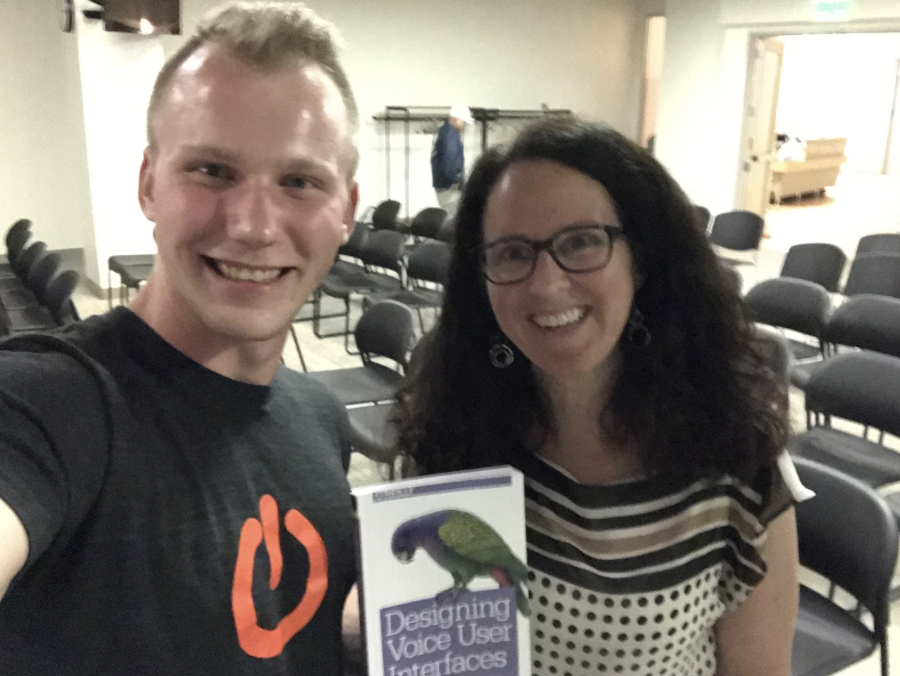
In SF with Cathy Pearl, ex Design Manager of Google Assistant at Google
1. Vasili Shynkarenka
- mostly worked on chatbots and voice assistants, since 2015
- built a software agency BotCube in ~2016-2018, creating chatbots for large enterprises
- YC founder with Storyline W18 (no-code Alexa skills builder)
- teaching LLMs since late 2020
- founded AI Study Camp in 2025, with the goal of helping people really understand AI
- linkedin, twitter, website
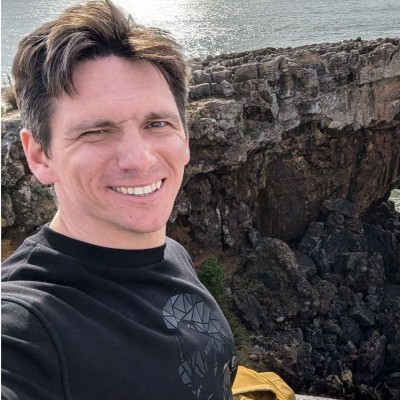 2. Artem Vysotsky
- 20 years in software engineering
- first engineer, then director of eng at People AI (YC S16)
- ex-Meta principal SWE
- building AI products for creators and businesses since 2022: Writingmate.ai, Mentioned.to, AIDictation.com
- linkedin, twitter
Pricing
$900
How to Sign Up
Fill in a quick form and we’ll be in touch in ~24h.
FAQ
0. Why do you do this?
Artem and I (Vasili) really like delivering lectures together!
He has the SOTA AI knowledge & expertise, and I understand LLMs really well + have good interviewing skills. I somehow help him relax and manage to extract AI knowledge out of him.
Have a look for yourself:
- Jul 23, 2025: On using Cursor to automate marketing and product work
- Sep 4, 2025: On GPT5
- Oct 9, 2025: On agents, planning, and long-range tasks
- Nov 20, 2025: On deep research, LLMs, and AI dictation software
- Dec 29, 2025: On building a native macOS app in 2 weeks with AI
1. How much of this is live vs prerecorded?
All four workshops are live. Nothing is prerecorded.
2. Are these "workshops" just lectures? Or do I actually get to do something myself during them?
Workshop #1 is a lecture, providing basic knowledge & info on OpenClaw. Workshops #2 and #3 are interactive, meaning we'll guide you through the setup step-by-step and problem-solve together on the fly. Workshop #4 is more of a showcase/demo, akin to YC demo day.
3. Will the workshops be recorded in case I miss one or two?
Yes of course. Every workshop will be recorded and shared in the group chat. But we don't recommend joining unless you're able to attend at least 3 out of 4.